Operational AutomationTRIGGER · AGENT · APPROVAL
12 StepsTemplates
Start with a proven templateBuild your workflow faster
Choose from 528 ready-made templates, configure variables and credentials, and run.
528Ready-made templates
06Business categories
YAMLReadable and editable
Product interface
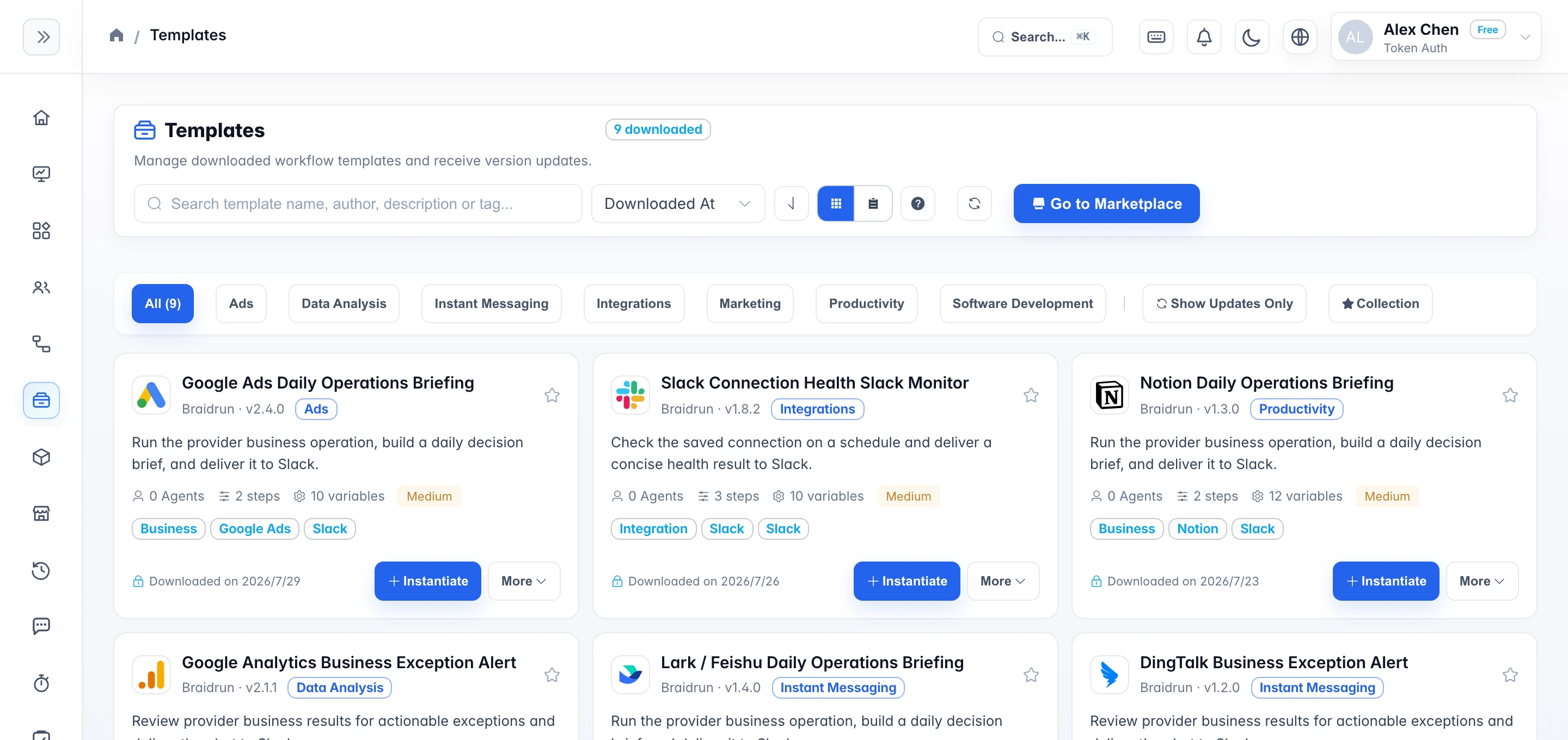
Template library: pick one and start
Below is a sample from each category; all 528 templates live in the template library after login, browsable by category, tag, and search.
Category Overview
6 categories — start from your scenario
Beyond general reporting, review, and translation flows, there are full template sets for specialized scenarios like ASA, Google Ads, and app store operations.
67 Templates
Operational Automation
Operations scenarios like automatic app review replies, certificate expiry monitoring, subscription renewal health tracking, and release-day checklists.
14 Templates
Advertising
Campaign strategy, keyword research, bid maintenance, and periodic reporting for Apple Search Ads and Google Ads.
18 Templates
Software Development
Full development flows for iOS / Android / Flutter / Web, including code review, CI/CD, and localization.
9 Templates
Marketing & Branding
Brand crisis handling, social media content calendars, Facebook ads, user growth strategy, and more.
7 Templates
Data & Analytics
Analysis flows like AB test design, behavioral funnels, competitive intelligence, and risk matrices.
32 Templates
General Tools
General AI tools such as translation, SQL generation, mind mapping, PDF translation, SEO Slug, code assistant, etc.
From download to run
Download a complete workflow, not a mockup
Templates preserve real step order, variable placeholders, Agent settings, and approval gates. After cloning, replace the sample data and credentials to move gradually from a demo run to production.
- Steps are already orchestratedTriggers, Agents, conditions, approvals, and delivery stay in the right order.
- Business inputs stay configurableReplace variables and credentials centrally without rebuilding the workflow.
- Keep trial runs and versionsReview demo output first, then connect real data step by step.
How to use
From clone to scheduled runs
- Clone a template Filter the template library by category or tag, then click "Use this template" to copy it into your workspace.
- Swap in variables and credentials Replace the sample variables with your own values, then attach model keys and channel credentials like Slack and Telegram.
- Test-run it, then hand it to a trigger Run it manually once to check the output, then put it on a cron schedule or configure a Webhook so an upstream system can trigger it.
Sign up free and browse the full template library
A free account unlocks the template library; demo mode runs without credentials — connect your own when you want production results.