Run, Monitor & Debug
Every execution keeps a complete record
Every time a workflow runs, the step timeline, logs, token usage, and cost are all recorded line by line. When something goes wrong, set a breakpoint to inspect variables and rerun from the failed step; after a service restart, unfinished executions resume automatically.
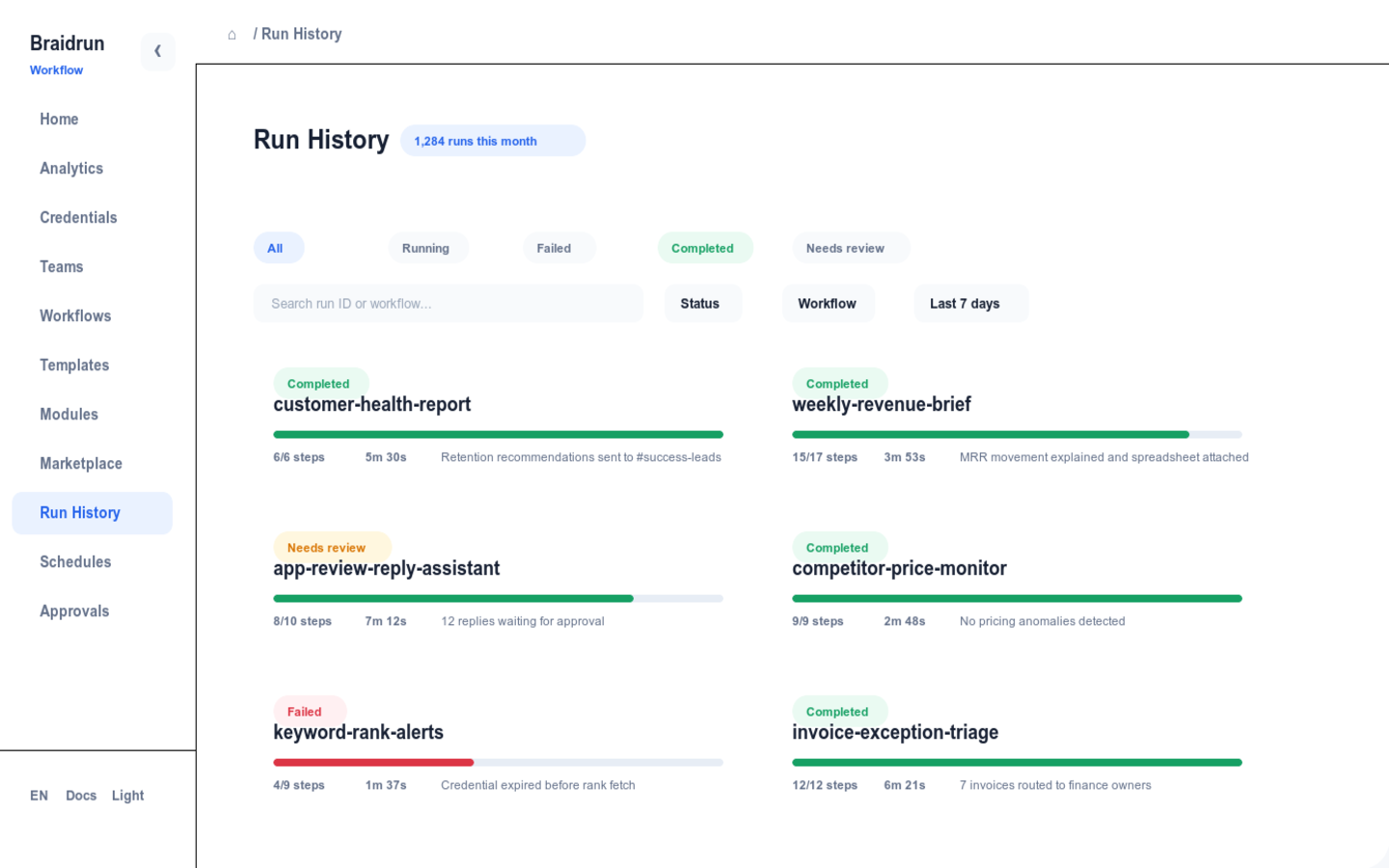
Execution Observability
How long each step took and how much it cost—all queryable
The record of every execution stays on the details page; here's what you can see.
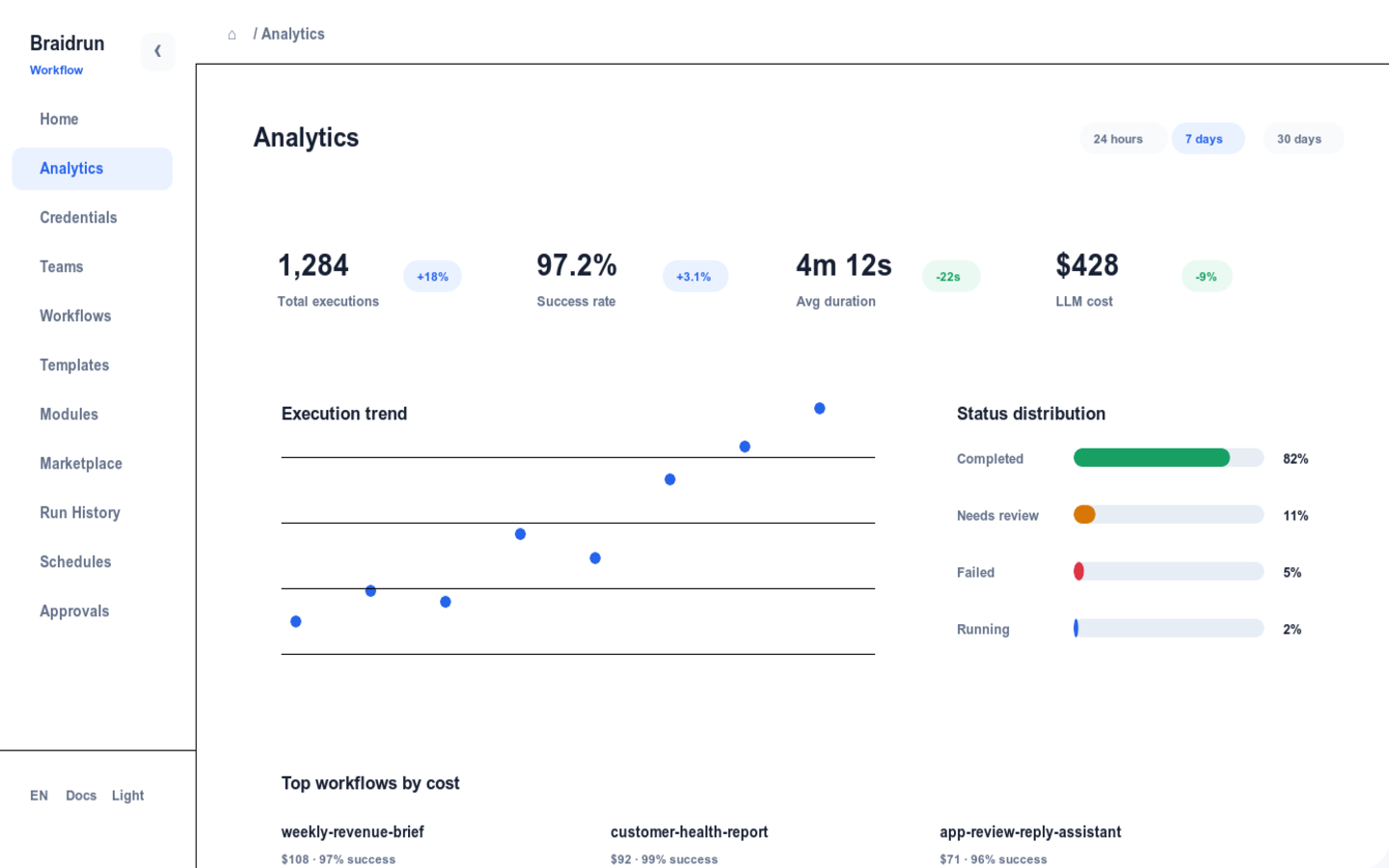
- Step timeline and logs: when each step started, how long it ran, and what it output—all one click away.
- Per-run token and cost accounting: each model call's usage is recorded in that execution, so the numbers reconcile down to the step level.
- The execution can be exported as JSON or YAML, for archiving or feeding into your own analysis scripts.
- The dashboard shows the run status and spend of multiple workflows on a single page.
Breakpoint Debugging
Stop to check a variable, edit it, and keep running
When a workflow gets stuck on a step, you can debug it just like debugging code.
- 9 breakpoint types to stop wherever in the execution you care about.
- When paused, inspect each variable's current value one by one to pinpoint which step threw the data off.
- Change a variable value directly and keep running, without editing the definition and starting over.
⏸ paused · analyze_spend · breakpoint hit> vars.report_lang"zh-CN"> set vars.report_lang = "en-US"ok · variable updated> continue▶ resumed · analyze_spend → render_report → notify_slack
Failure Recovery
If it fails at 3 a.m., it resumes in the morning
Failure rerun and breakpoint resume are both built in, so a late-night failure doesn't need late-night handling.
↻Rerun from the failed stepNo need to rerun the whole thing: specify which step to restart from, and completed upstream LLM steps reuse their results with no double billing.
SHAService Restarts, Execution ResumesAfter a deploy or restart, half-finished executions resume automatically. Before resuming, the workflow definition's SHA-256 hash is verified, so a changed definition won't resume by mistake; auto-recovery has a cap of 1 to 20 times.
R·TStep-Level Retry And TimeoutWrite retry and timeout on an individual step in the definition: transient network errors retry automatically, and a stuck step aborts when time's up, without dragging down the whole execution.
Quotas & Costs
Concurrency, retention, and budget caps, stated plainly
Cost is calculated from the calls actually made after an execution finishes; the platform doesn't provide a pre-run quote, and run quotas follow your plan tier.
Free · $01Concurrent Execution
Pro · $495Concurrent ExecutionIncludes the breakpoint debugger
Team · $9915Concurrent ExecutionExecution history retained for 180 days
Enterprise50Concurrent ExecutionAudit logs and self-hosted deployment
You can also set daily token-usage and cost budget caps, giving automated workflows a clear spending boundary.See full pricing and quotas →
Run Documentation
Three docs for three things
Monitoring And ObservabilityThe full path from the execution list to per-step logs and cost records.Read the docs →Breakpoint DebuggingHow to set breakpoints, and how to inspect and modify variables once paused.Read the docs →Failure Recovery And ResumeConfiguration for rerunning a failed step and auto-resuming after a service restart.Read the docs →
Run a workflow first, then come back to see its complete record
Once you sign up you can run templates and view execution details; the breakpoint debugger is available on Pro.